Your AI keys, used by the agent — never seen by it.
The model writes a placeholder. The real key gets swapped in at the moment the command runs. Keys live in your OS keychain; the chat never holds one. macOS, Linux, Windows. Free. Open source.
Install
Set up subscribetome for me using https://github.com/matterhornso/subscribetome
Quit and reopen Claude Code when it's done.
Add a key
/stm:dashboard
A local web page opens. Pick a service, paste the key. Goes straight to your OS keychain — never through chat.
Use it
Use my OpenAI key to call chat completions with the message "hello"
The plugin swaps in the real key the instant the curl runs. The transcript only ever holds a placeholder.
See it in action.
A short, narration-free tour: Keys, Projects, Policy & audit, Import. All four tabs of the local dashboard.
Here's the trick. Plain and simple.
There is no server. There is no us.
subscribetome runs entirely on your own machine. There is no backend, so nobody — not the author, not Matterhorn Labs — can see your keys, your commands, or even that you use it. There is nothing to see, because nothing of yours is anywhere but your own machine.
The dashboard never goes online
Your machine serves it on 127.0.0.1, bound to loopback. No remote machine can reach it. Token-authed; DNS-rebind-defended.
Nowhere to send your data
No servers, no cloud, no sign-up, no telemetry. The only outbound calls happen when you click sync, only to the providers you've configured.
Keys stay on your disk
macOS Keychain, Windows Credential Manager, or Linux Secret Service / pass / opt-in encrypted file. Run stm doctor to see which is active.
What you actually do.
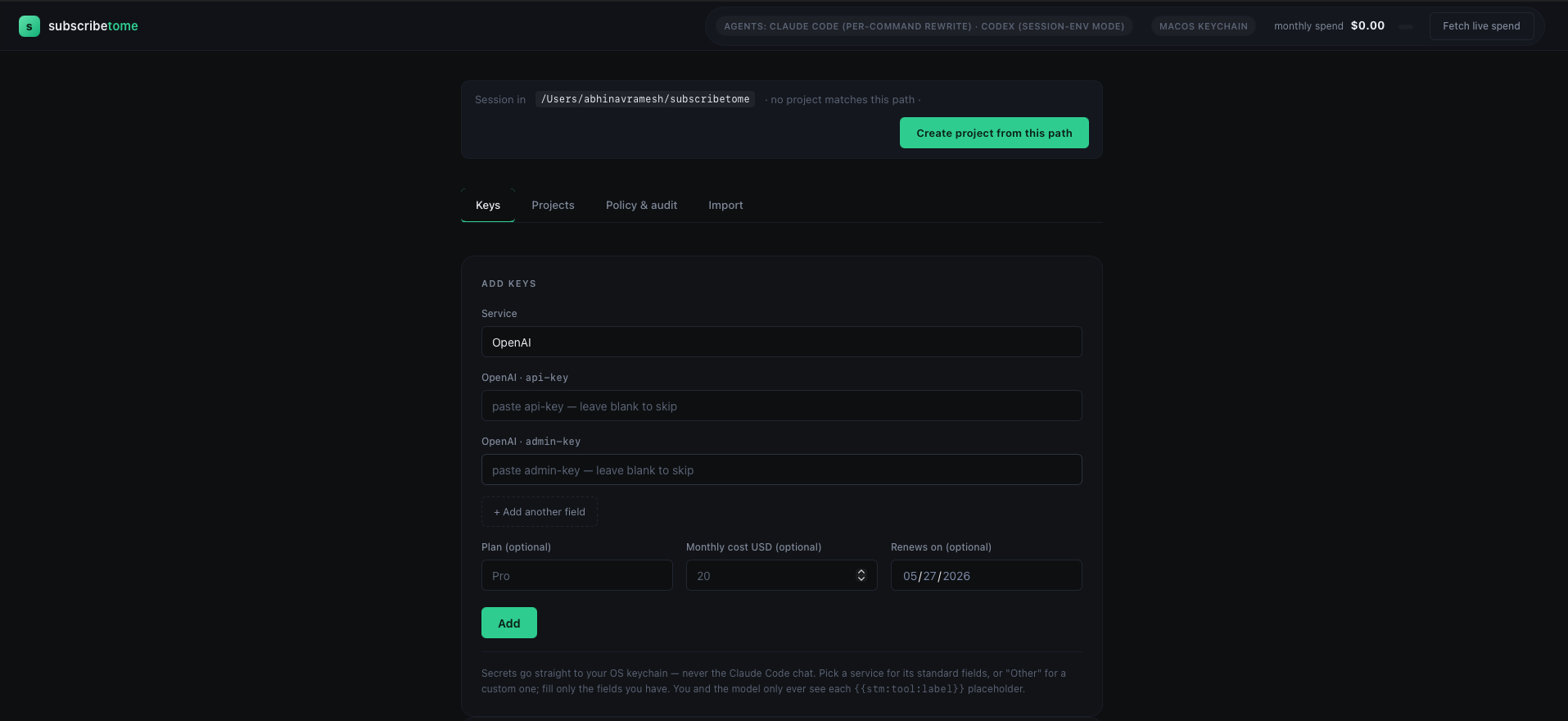
Add your keys, mask them, paste them in your coding agent with full security.
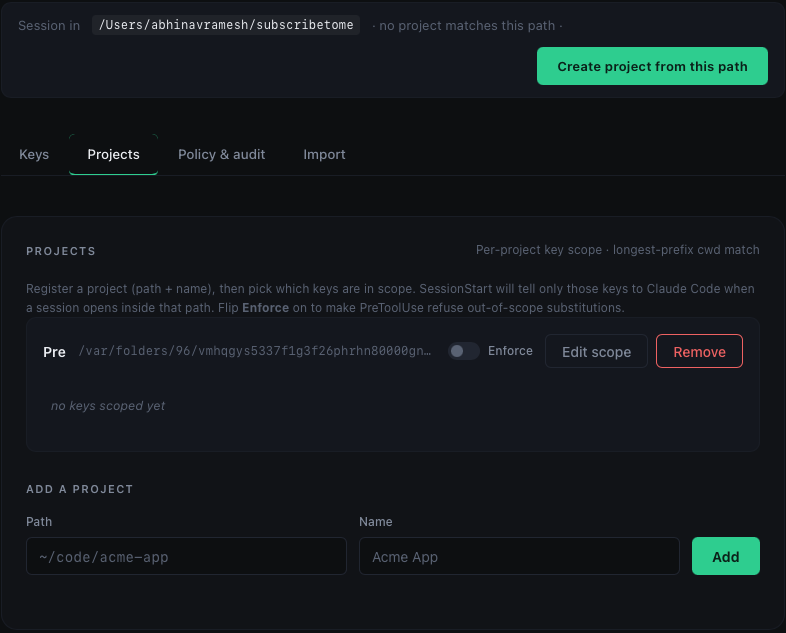
Maintain separate keys per project.
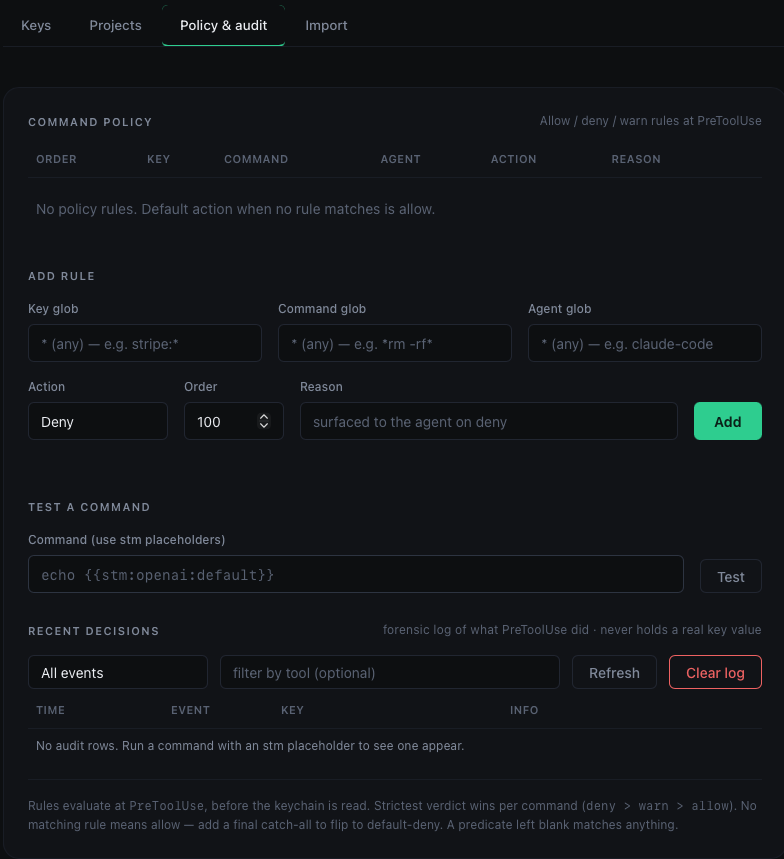
Assign restrictions for each key usage.
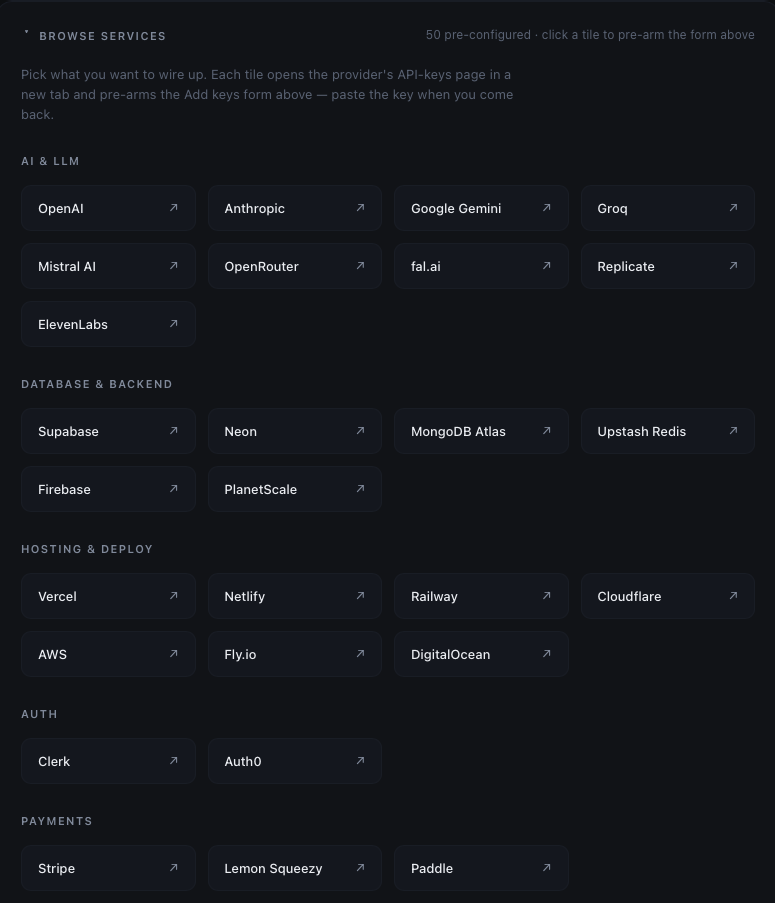
Pick a key from 86 pre-configured services at STM.
Browser extension — one-click capture from your provider's dashboard.
Today: generate an API key on OpenAI or Stripe, copy it, switch tabs to the stm dashboard, paste it. Tomorrow: click stm in your browser bar from the provider's page, the key flows straight to the OS keychain — never to the clipboard, never to a chat.
Want this sooner? Open an issue on GitHub →